A ceiling fan can quietly move air for years, but only when its basic needs are not ignored. Dust gathers along the blade edges, screws loosen through vibration, and dry bearings may create a faint clicking sound. Learning how to maintain a ceiling fan helps preserve airflow, reduce unnecessary noise, and support safer daily use. Small checks often prevent expensive repairs.
This guide follows practical maintenance habits used by homeowners and service professionals. It explains how to clean blades without bending them, tighten visible hardware, inspect the light kit, and check the pull chain or remote receiver. Turn off the power before touching the fan. Do not rely only on the wall switch. For ceiling fans connected to damaged wiring, consult a qualified electrician and follow local safety requirements.
Look closely.
A soft cloth and a stable step ladder can make cleaning easier. However, forcing a stuck screw or spraying liquid near the motor can cause trouble. The manufacturer’s manual remains the most reliable reference because models differ in blade attachment, lubrication needs, and electrical design. Some modern motors are sealed and should not be oiled, despite common household advice.
Regular maintenance does not need to become a complicated project. A seasonal inspection, gentle cleaning, and prompt attention to unusual sounds can keep performance steady. Still, perfect results are not guaranteed. I have found that even a clean fan may wobble because the ceiling box was never properly secured. That detail is easy to miss, and it deserves careful inspection.
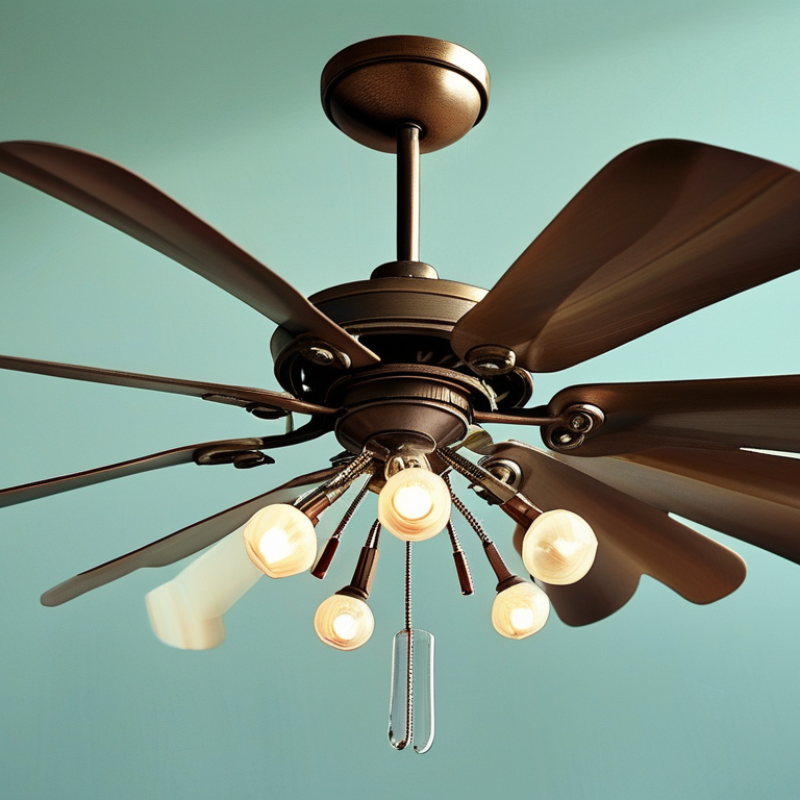
Before maintaining a ceiling fan, disconnect its power completely. Turn off the wall switch, then switch off the matching circuit breaker. A fan can remain energized if the wrong breaker is selected. Test the wires with a reliable voltage tester. Do not trust silence or a stopped blade. Wait until every blade stops moving. I once assumed a silent fan was safe, but the switch had failed.
Check the work area carefully. Place a firm, level ladder on dry flooring. Keep both hands available while inspecting the fan. Never balance on a chair or stretch sideways. Look for loose screws, bent blade brackets, cracked housing, or unusual movement. Examine the ceiling mount for gaps or sagging. These signs may indicate a support problem, not simple cleaning. Stop immediately if the fan shifts.
Inspect visible wires for fraying, exposed copper, burn marks, or moisture. Do not touch damaged insulation. Avoid spraying cleaner near the motor, switch housing, or electrical connections. Use a dry or slightly damp cloth instead. If the fan is high, heavy, or difficult to reach, ask a qualified electrician for help. I sometimes underestimate small repairs, especially when a screw looks harmless. That is where rushed maintenance becomes risky. Keep children and pets away from the ladder and loose parts. Recheck that power remains off before removing any cover.
| Safety Check | What to Inspect | Safe Condition | Recommended Action | Suggested Timing | Risk Level |
|---|---|---|---|---|---|
| Power isolation | Wall switch, circuit breaker, and any remote-control power function | The fan does not start, lights remain off, and the circuit cannot be energized accidentally. | Turn off the wall switch and circuit breaker. Prevent others from restoring power while work is in progress. | Before every maintenance task | High |
| Power verification | Fan response after controls are switched off | The blades and light remain completely inactive. | Test the fan using its normal controls, then verify that the correct circuit is off before touching wiring or internal parts. | Before opening the housing | High |
| Mounting support | Mounting bracket, outlet box, screws, downrod, and ceiling connection | No visible movement, sagging, cracked parts, loose screws, or separation from the ceiling. | Do not operate a fan with a loose or damaged mount. Arrange qualified electrical or maintenance assistance when structural parts require repair. | Monthly visual check | High |
| Blade condition | Blade surfaces, edges, screws, blade holders, and signs of warping | Blades are clean, dry, firmly attached, and free from cracks, bends, swelling, or delamination. | Clean with a soft, slightly damp cloth. Replace damaged blades or fasteners; do not attempt to straighten cracked parts. | Every 1–3 months | Medium |
| Blade balance | Wobbling, rocking, unusual vibration, or uneven blade height | The fan runs smoothly without excessive movement, rattling, or progressively increasing vibration. | Stop the fan, check that blade screws are secure, and use the fan’s balancing instructions if necessary. | After cleaning or if vibration appears | Medium |
| Wiring and insulation | Visible cables, insulation, connectors, and the canopy area | No exposed copper, melted insulation, scorch marks, loose connections, or moisture. | Keep power off and stop work if damage is found. Have electrical repairs completed by a qualified person. | At each detailed inspection | High |
| Light kit and bulbs | Glass shade, bulb socket, retaining screws, and heat or discoloration | The shade is secure and intact; the socket is dry and shows no scorching or deformation. | Allow bulbs to cool, support the shade with both hands, and replace cracked glass or damaged sockets before use. | Every 1–3 months | Medium |
| Cleaning method | Dust, cleaning tools, liquids, and access equipment | The fan is stationary, surfaces are wiped rather than sprayed, and the ladder is stable. | Use a stable step ladder, keep both feet positioned safely, and avoid spraying liquid near the motor or electrical parts. | During every cleaning session | Medium |
| Operating warning signs | Burning smell, buzzing, grinding, clicking, slow starting, or overheating | The fan starts normally and operates without unusual sound, odor, heat, or electrical interruption. | Switch off power immediately if a burning smell, smoke, sparking, or severe noise occurs. Do not resume use until inspected. | Whenever the fan operates | High |
| Post-maintenance test | Fasteners, guards, blades, light fittings, and control response after reassembly | All parts are secure, no tools remain nearby, and the fan runs briefly at low speed without abnormal movement or noise. | Restore power only after the work area is clear. Stop immediately if any abnormal condition appears. | After every maintenance task | Medium |
A ceiling fan performs better when dust is removed before it hardens. Turn off the power at the wall switch and circuit breaker. Wait until the blades stop completely. Use a stable step ladder, not a chair.
Wipe each blade with a slightly damp microfiber cloth. Support the blade with one hand to reduce stress on its bracket. A soft brush can loosen dust around screws and blade edges. Avoid soaking the blades, because moisture may enter the seams. Clean the housing with a dry cloth first, then use mild soap on stubborn marks. Keep water away from switches and electrical openings.
The motor needs gentle care. Dust its vents with a soft, dry brush or low-pressure air. Do not spray cleaner into the motor housing. Check for loose screws, unusual rubbing, or a warm smell during operation. I once cleaned the blades and ignored the upper housing, where dust had formed a thick ring. That mistake reminded me to inspect from below and above. Some older fans require specific lubrication, while sealed motors do not. Read the maintenance instructions before adding oil. Too much oil can attract dust and stain the ceiling. After cleaning, restore power and listen for changes in sound or movement. A slight wobble may mean the blades need balancing, not more cleaning.
Turn off the circuit breaker before inspecting a ceiling fan. Do not rely only on the wall switch. Use a non-contact voltage tester at the fan housing and light kit. Let the blades stop completely. A stable ladder helps you reach the canopy without pulling on the fixture. Keep one hand free for support.
Check every visible screw around the blade brackets, motor housing, canopy, and downrod. Tighten loose hardware carefully, but do not force it. Over-tightening can damage threads or bend thin metal parts. Examine the mounting bracket for movement, cracks, or gaps against the ceiling. The electrical box must be firmly secured and rated to support a ceiling fan. If the fan wobbles after tightening, inspect the mount again rather than adding random washers.
Look for frayed insulation, loose wire connectors, dark marks, melted plastic, or a burning smell. Confirm that the ground wire remains attached and that wire connections sit inside the electrical box. Never handle exposed conductors while power is available. I once focused too much on noisy screws and nearly overlooked a loose connector, which was a useful reminder. Small details matter. If wiring appears damaged, stop the inspection and contact a qualified electrician. Test the fan only after the cover is secured, the blades are clear, and no tools remain nearby.
This checklist highlights the main ceiling-fan areas that should be inspected during routine maintenance. Always switch off the power before checking wiring or electrical connections, and follow local electrical codes and the fan’s installation instructions.
A ceiling fan often needs less oil than owners expect. Many newer models use sealed bearings and should not be lubricated. Check the manual before opening any oil port. Turn off the wall switch and circuit breaker, then wait until the blades stop completely.
For fans with serviceable bearings, use the specified light machine oil. Place a few drops into the port, not onto the motor housing. Rotate the blades by hand to distribute the lubricant. Wipe away drips with a clean cloth. Too much oil can attract dust and stain the ceiling. I once over-lubricated a fan, and its housing collected a gritty layer within weeks. That mistake changed my maintenance routine.
Balancing requires patience. Clean every blade, because one dusty edge can create vibration. Check that all blade screws are tight and equally positioned. Measure the distance from each blade tip to the ceiling. Small differences matter. A balancing kit can help, but move its weight gradually. Start near the blade tip, test the fan, and adjust carefully. Stop if the motor sounds strained or the mount moves. An uneven fan may have a bent blade or loose bracket, not merely a balance problem. When uncertain, ask a qualified technician to inspect the mounting structure.
A ceiling fan needs more than a quick dusting to deliver long-lasting performance. During a seasonal inspection, switch off power and examine the blades, mounting bracket, pull chain, and wiring cover. Look for sagging, cracked blades, loose screws, or dark marks near the motor housing. I once ignored a faint wobble. It became louder within weeks.
Test performance at every speed. The fan should start smoothly, change speed evenly, and stop without grinding. Stand beneath it and check whether airflow feels consistent across the room. A phone vibration app can reveal unusual movement, but it is not a certified diagnostic tool. The U.S. Department of Energy explains that ceiling fans create comfort through air movement, allowing thermostat settings to rise by about 4°F during warm weather. This benefit disappears when nobody occupies the room.
Schedule cleaning every three months in dusty homes, and inspect fasteners twice yearly. For commercial or heavily used spaces, monthly checks are more practical. Record noise, wobble, speed response, and cleaning dates in a simple log. The U.S. Consumer Product Safety Commission regularly highlights the importance of secure overhead fixtures, so mounting hardware deserves careful attention. Maintenance intervals are not universal; coastal moisture, pets, and long operating hours change the workload.
Tips: Clean blades with a slightly damp cloth, not a dry duster alone. Tighten accessible screws gently. Never spray lubricant into the motor housing. If wiring looks damaged, stop testing and contact a qualified electrician. My maintenance schedule still needs adjustment, because “every six months” proved too vague in a dusty room.
: Turn off the wall switch and matching circuit breaker. Test the wires with a reliable voltage tester. Do not trust silence. The wrong breaker may leave power connected.
Use a firm, level ladder on dry flooring. Keep both hands available while inspecting the fan. Never stand on a chair or stretch sideways. Keep children and pets away.
Watch for ceiling gaps, sagging, shifting, or unusual movement. Loose screws and bent brackets also need attention. Stop immediately if the fan moves. Cleaning will not fix weak support.
Look for frayed insulation, exposed copper, burn marks, or moisture. Do not touch damaged wiring. Avoid spraying cleaner near electrical connections. Use a dry or slightly damp cloth instead.
Clean fans every three months in dusty homes. Inspect fasteners twice yearly. Monthly checks suit heavily used spaces. Local moisture and pets may change this schedule.
Test every speed after restoring power safely. The fan should start smoothly and change speeds evenly. Listen for grinding or growing noise. A faint wobble can become louder within weeks.
A vibration app may reveal unusual movement. It is not a certified diagnostic tool. Use it as a clue, not proof. Professional inspection may still be necessary.
Wipe blades with a slightly damp cloth. A dry duster alone may spread dust. Tighten accessible screws gently. Never spray lubricant into the motor housing.
Ask for help when the fan is high, heavy, or difficult to reach. Contact an electrician for damaged wiring or unstable mounting. I sometimes underestimate small repairs. That mistake deserves more caution.
Learning how to maintain a ceiling fan begins with safety. Turn off the power before starting, secure the work area, and use a stable ladder when necessary. Clean dust from the blades, housing, and motor components with suitable tools, taking care not to damage electrical parts. Regular cleaning improves airflow and helps prevent buildup that can affect performance.
Next, inspect screws, mounting brackets, wiring, and electrical connections for looseness, wear, or damage. Tighten or repair components only when it is safe to do so, and seek qualified assistance for electrical problems. Lubricate moving parts according to the fan’s design, then check that the blades are balanced to reduce wobbling and noise. After maintenance, restore power and test the fan at different speeds. Creating a regular maintenance schedule helps identify problems early, supports efficient operation, and extends the fan’s service life.

Fanpro Light