Top 10 Reasons Your Ceiling Fan is Making Noise?

Time:2026-06-10 Author:Sophia
0%

When your ceiling fan starts making noise, it can be more than just an annoyance. Many homeowners wonder, "why is my ceiling fan making noise?" Understanding the reasons behind it could save you from sleepless nights. A ceiling fan can provide a refreshing breeze, but unusual sounds may indicate underlying issues.

Fans can generate various noises like rattling, clicking, or humming. These sounds often stem from loose parts, lack of lubrication, or even unbalanced blades. A simple inspection might reveal something as minor as dust buildup. However, persistent noise may suggest more serious problems needing attention.

Many people ignore these signs, thinking they are insignificant. This oversight can lead to increased wear and tear on the fan. Addressing these noises early on can enhance the lifespan of your ceiling fan. Recognizing the cause of the noise is essential for maintaining both comfort and efficiency in your home.
Top 10 Reasons Your Ceiling Fan is Making Noise?

Common Causes of Noisy Ceiling Fans

Ceiling fans are essential for comfort, but they can sometimes become noisy. Understanding the common causes of this noise is crucial for a peaceful home environment. Dust buildup is one prevalent issue. Dirty blades can disrupt airflow, leading to rattling or humming sounds. Regular cleaning can help avoid this problem.

Another culprit could be loose components. Over time, screws and mounting brackets may loosen. This can cause vibrations that create unwanted noise. It’s wise to inspect these parts regularly and tighten them when necessary.

Adjusting the fan’s speed can also minimize noise. Higher speeds might result in more sound, while lower settings can reduce distractions. If your fan continues to annoy you, consider consulting a professional for a thorough inspection.

Maintenance should not be overlooked. A well-fitted fan can enhance your home environment. Remember, a little attention can save you from significant noise headaches.

Understanding Different Fan Noises and Their Meanings

Ceiling fans are often a source of comfort, but they can produce annoying noises too. Understanding these sounds is crucial for maintenance. A persistent humming can indicate loose screws or blades. Tightening these components can often solve the issue. If you hear a clicking noise, it may mean that something is stuck in the blades. Check for debris or objects that can interfere with the fan's motion.

Whirring sounds might be a sign of unbalanced blades. This can happen over time as the blades warp or become misaligned. Balancing kits are available to fix this. However, if the noise persists, the motor might be wearing out. An expert should assess it for repairs. Don’t ignore rattling noises; they often point to loose parts or a compromised mounting. Taking initiative can save you from future headaches.

How to Diagnose the Source of Noise in Your Ceiling Fan

Ceiling fans can be a great ally in staying cool, but a noisy fan can be frustrating. Diagnosing the source of that noise is key to maintaining your comfort. Start by checking if the noise is constant or variable. A consistent hum may indicate motor issues, while a rattling sound could mean loose screws.

Inspecting the fan's blades is crucial. Dust buildup or bent blades can create wobbling. Clean the blades regularly, and ensure they are straight. A simple visual check can often reveal the problem. Tighten any loose parts, as this may minimize the noise significantly.

Tips: Always turn off the fan before starting your inspection. Use a damp cloth for cleaning. If the noise persists after these steps, consider consulting a professional. Sometimes, the issue may be more complex than it appears. Maintaining optimal settings can also help. If the fan isn’t aligned properly, it may struggle, leading to unwanted sounds. Remember, sometimes fans need expert attention. Don’t hesitate if you're unsure.

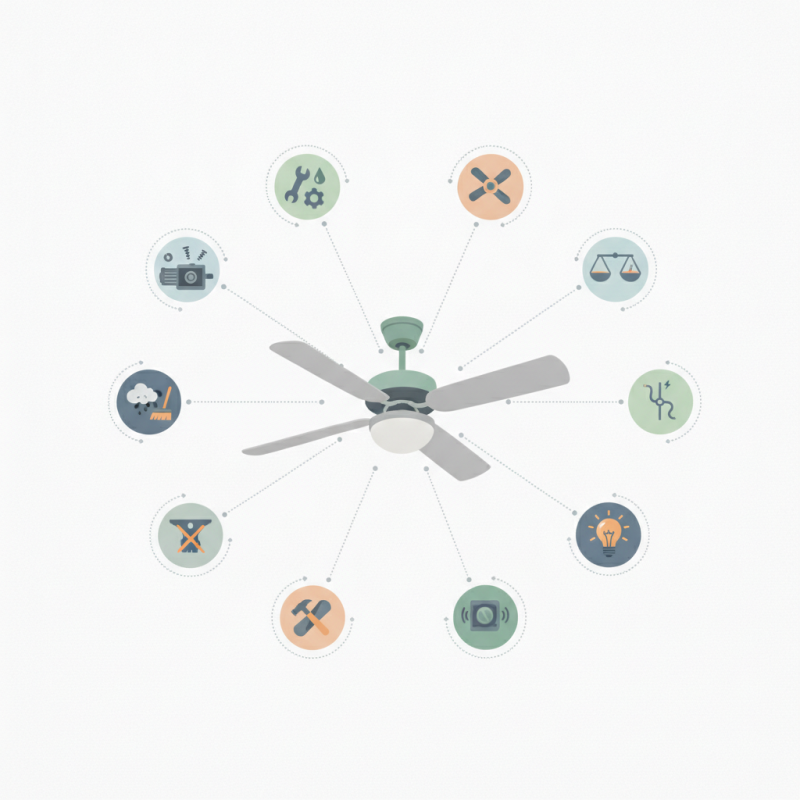
Top 10 Reasons Your Ceiling Fan is Making Noise

Reason Description Solution
Loose Blades Blade screws may be loose, causing vibration and noise. Tighten all screws connecting the blades to the motor.
Worn Out Bearings Bearings may be rusty or worn, causing grinding noises. Lubricate the bearings or consider replacement.
Fan Speed Higher speeds can lead to more noise due to airflow. Adjust the speed settings for quieter operation.
Improper Installation Fans not properly installed can wobble and create noise. Ensure correct installation and use the correct mounting bracket.
Debris Accumulation Dust and debris can cause rattling noises when the fan spins. Regularly clean the fan blades and motor area.
Electrical Issues Faulty wiring may lead to humming or buzzing sounds. Check the wiring and replace any damaged components.
Vibration Vibrations from the fan can transmit to the ceiling or walls. Rebalance the fan or add vibration-dampening pads.
Blade Material Certain materials can amplify noise due to vibrations. Consider changing to quieter blade material if noise is excessive.
Age of Fan Older fans may naturally become noisier over time. Consider upgrading to a new fan model with better technology.
Mounting Bracket Issues A faulty or loose mounting bracket can cause noise. Inspect and securely fasten or replace the mounting bracket.

Maintenance Tips to Reduce Ceiling Fan Noise

Ceiling fans are essential for comfort but can become noisy over time. Regular maintenance is key to minimizing this issue. One major step is ensuring that the fan blades are clean. Dust buildup can cause imbalance and create noise. Use a damp cloth to wipe them down regularly. This simple action can significantly reduce unwanted sounds.

Another common source of noise is loose screws or components. Check all screws on the fan and tighten them if necessary. Pay attention to the mounting bracket and blade attachments. If the fan vibrates or wobbles, it may need an adjustment. A wobbly fan is not only noisy but can also lead to more serious issues if left unchecked.

Lubricating the fan’s motor is another effective maintenance tip. Over time, the lubricant can dry out, leading to friction and noise. Use a lightweight machine oil specifically for this purpose. Remember to turn off the fan before performing any maintenance. This protects you from injury and allows you to assess all potential noise sources effectively. Regular maintenance may seem tedious, but it is crucial for ensuring your ceiling fan operates quietly and efficiently.

When to Seek Professional Help for Noisy Ceiling Fans

A noisy ceiling fan can be an annoying disruption. If your fan produces rattling, humming, or clicking sounds, you might wonder if professional help is needed. Often, the noise signals a problem that must be addressed. Ignoring the sounds could lead to further complications.

Listen closely to the noise your fan makes. Are the sounds steady or irregular? If they change with speed adjustments, it might mean loose screws or a misaligned blade. These are issues you can often fix yourself. However, if the fan makes clanking sounds that don’t improve, calling in an expert is wise. A professional can ensure the motor functions properly and inspect for potential wiring problems.

Some homeowners might hesitate when it comes to calling for help. It can feel daunting or unnecessary. Yet, tackling ceiling fan issues without the right skills can cause more damage. A trained technician will ensure every component operates safely and correctly. If your DIY efforts aren’t yielding results, trust the professionals to restore peace in your home.

FAQS

: What causes ceiling fans to become noisy?

: Dust buildup on blades disrupts airflow, causing rattling or humming sounds.

How can I reduce noise from my ceiling fan?

Regular cleaning of blades and tightening loose components can help minimize noise.

What does a humming noise from the fan indicate?

A persistent humming might suggest loose screws or blades needing adjustment.

How do I know if something is stuck in the blades?

If you hear a clicking noise, check for debris or objects hindering motion.

Why might there be a whirring sound from my fan?

This could signify unbalanced blades due to warping or misalignment over time.

When should I seek professional help for a noisy fan?

If clanking sounds persist or DIY fixes fail, consulting a technician is advisable.

Can changing fan speeds affect noise levels?

Yes, higher speeds often produce more noise, while lower settings can be quieter.

What might rattling noises indicate?

Rattling often points to loose parts or compromised mounting that requires attention.

How can maintenance improve my ceiling fan's performance?

Regular maintenance ensures all components function properly and can reduce annoying sounds.

What should I do if my noise issues persist?

If efforts to fix it aren’t effective, trust a professional to ensure safety and function.

Conclusion

If you've ever wondered, "why is my ceiling fan making noise," you're not alone. Noisy ceiling fans can be a common nuisance, often attributed to various factors such as loose components, improper installation, or wear and tear over time. Understanding different fan noises and their specific meanings can help you diagnose the issue effectively. For instance, a wobbling fan might indicate unbalanced blades, while a grinding noise could suggest a lubrication problem.

To tackle the situation, it’s crucial to perform regular maintenance, including tightening screws, checking blade alignment, and applying lubricant where necessary. If you've followed these tips and the noise persists, it may be time to seek professional help. Addressing noisy ceiling fans promptly not only improves comfort but also extends the overall lifespan of your fan.

Sophia

Sophia

Sophia is a dedicated marketing professional with an exceptional depth of knowledge about her company's products and services. With a keen understanding of market trends and customer needs, she crafts insightful blog posts that not only inform but also engage readers, enriching the company’s online......