Why is my ceiling fan making noise? That question often begins with a faint click, a soft wobble, or a sudden grinding sound above the bed. The cause may be simple, such as a loose blade screw, an unbalanced blade, or a dusty motor housing. However, electrical faults and worn bearings can also create warning sounds. Ignoring them may turn a small repair into a costly replacement.
Danny Lipford, a longtime home-improvement expert and host of Today’s Homeowner, has said, “A ceiling fan should run quietly and smoothly when properly installed.” That practical observation remains useful. A fan that rattles during startup may need tightened hardware. A humming fan may have a faulty capacitor, incompatible speed control, or stressed motor. A scraping sound deserves closer attention, especially when the blades appear uneven or the canopy shifts against the ceiling.
This guide examines why is my ceiling fan making noise through common household examples and professional troubleshooting methods. You will learn how to distinguish harmless vibration from a serious mechanical or electrical concern. Start with the power switched off. Check the mounting bracket, blade arms, screws, pull chain, and light kit. Touch nothing electrical unless you understand safe isolation procedures. Sometimes, the obvious explanation is wrong. I have seen “motor noise” disappear after one loose blade screw was tightened. That possibility is easy to miss. If burning smells, sparks, heat, or persistent grinding appear, stop using the fan and contact a qualified electrician.
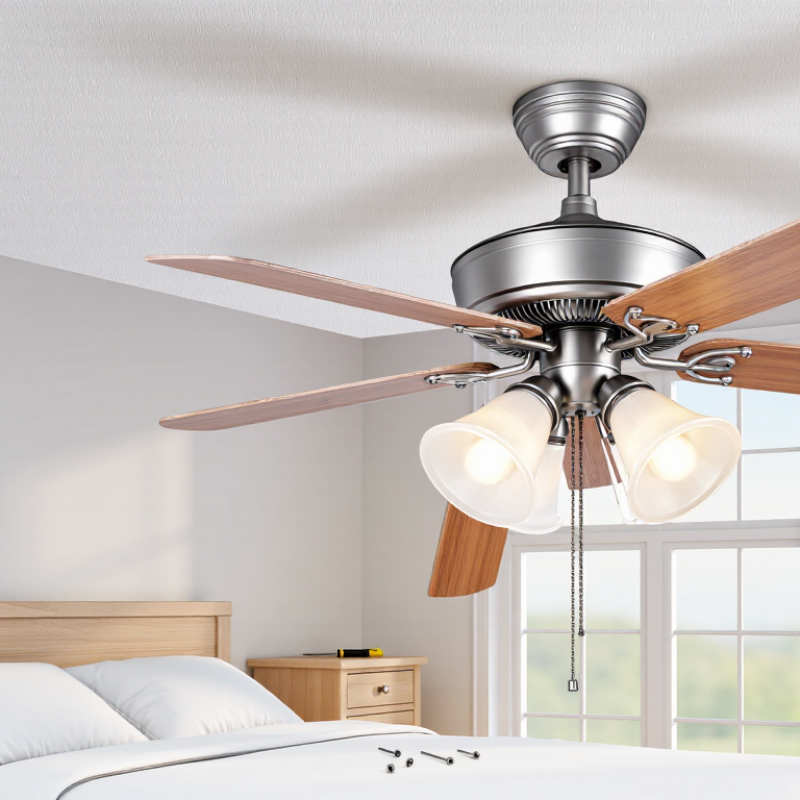
Why Is My Ceiling Fan Making Noise What Is the Cause?
What Commonly Causes a Ceiling Fan to Make Noise
A noisy ceiling fan usually signals movement, friction, or loose hardware. A clicking sound often comes from loose blade screws, a cracked blade holder, or an unsecured light kit. A wobbling fan may have uneven blades or a bent mounting bracket. Check the obvious. Turn off power before touching anything, then gently test each screw and blade.
A low hum can come from motor bearings, electrical components, or a speed-control problem. Dust buildup may also increase vibration, especially around the motor housing. In my experience, cleaning the blades reveals problems people miss, including slight warping and uneven dust deposits. That sound matters. The U.S. Department of Energy explains that ceiling fans cool occupants rather than room air, so running a damaged fan provides little comfort benefit. Replacing a faulty capacitor may help, but it requires electrical expertise.
Noise also affects perceived comfort. The World Health Organization’s Environmental Noise Guidelines identify 30 dBA indoors as a bedroom sleep-related target. A persistent fan rattle can exceed that quiet-room expectation, even when the fan still operates. However, noise levels vary with room size, mounting surfaces, and measurement distance. Industry reports rarely isolate ceiling-fan noise, so diagnosing the sound pattern remains important. Stop using the fan if you smell burning, see sparking, or hear sharp grinding. A qualified electrician should inspect the wiring and support box.
Common causes of ceiling-fan noise ranked by typical diagnostic priority
Loose mounting hardware, unbalanced blades, and motor-bearing wear are frequent causes of ceiling-fan noise. A clicking sound often points to loose parts or blade movement, while humming may be related to the motor or electrical control. Always switch off power before tightening components or inspecting the fan.
A ceiling fan rarely makes “just noise.” Its sound usually reveals a specific mechanical problem. A low hum often points to motor vibration, loose wiring, or an unstable speed control. A rhythmic click may come from a blade screw, canopy, or pull chain. A sharp rattle suggests a loose bracket or unbalanced blade.
I once blamed the motor for a clicking fan. The real cause was one slightly bent blade. That mistake matters because visual inspection can miss small alignment changes. ASHRAE Handbook—HVAC Applications (2023) recommends evaluating sound by frequency bands, not only overall decibels. A-weighted readings can hide irritating tonal sounds. ISO 3741 also defines laboratory methods for measuring sound power in controlled rooms. Home conditions are less precise, so record the noise at low, medium, and high speed.
Tips: Turn off power before touching hardware. Tighten each blade screw gently. Check whether the sound changes when airflow reverses. A phone app can compare loudness, but it cannot reliably identify bearing damage. Listen for grinding, because it often indicates worn bearings. Do not ignore a growing wobble. The U.S. Consumer Product Safety Commission reports that unstable household equipment can create impact hazards, although ceiling-fan incidents vary by installation and maintenance. If the bracket moves, stop operating the fan and request a qualified inspection.
Use the sound, timing, and visible symptoms below to narrow down the likely cause before cleaning, tightening, or arranging a professional inspection.
| Noise Type | What It Sounds Like | When It Usually Occurs | Likely Cause | How to Confirm It | Recommended Action | Safety Priority |
|---|---|---|---|---|---|---|
| Clicking or Ticking | A regular click that repeats with each rotation or at a steady rhythm. | During operation, often changing with the fan speed. | Loose blade screws, a blade bracket, light-cover component, pull chain, or another part touching the housing. | Turn off power, allow the blades to stop, and inspect visible screws, blade brackets, pull chains, and the light cover for looseness or contact marks. | Tighten accessible fasteners according to the fan instructions. Replace damaged or cracked parts rather than forcing them into place. | Medium |
| Rattling | A loose, vibrating, or rapid shaking sound. | At medium or high speed; it may become quieter at low speed. | Loose screws, a loose light fixture, decorative cover, glass shade, canopy, or mounting hardware. | With power disconnected, gently check accessible components for movement. Look for parts that vibrate when the fan is operating. | Secure loose parts and ensure light shades or covers are correctly seated. Do not operate the fan if the mounting assembly moves. | Medium |
| Humming | A steady low electrical or motor sound. | When the fan is powered, especially at certain speed settings. | Normal motor operation, a speed-control issue, an incompatible control, or an electrical component problem. | Compare the sound at each speed. If the hum is new, unusually loud, accompanied by heat, flickering, or a burning smell, switch the fan off. | Check that the control is suitable for the fan. Electrical diagnosis and component replacement should be handled by a qualified electrician. | High if accompanied by heat, odor, smoke, or flickering |
| Buzzing | A sharper electrical buzz that may come from the motor, control, or light assembly. | When the fan or attached light is switched on. | Loose electrical connection, vibrating electrical cover, unsuitable control, or a failing electrical component. | Determine whether the sound continues with the fan off and the light on, or only while the fan motor runs. Do not remove electrical covers while energized. | Turn off the circuit if there is heat, a burning odor, visible damage, or smoke. Arrange professional electrical inspection. | High |
| Grinding | A harsh rubbing, scraping, or rough mechanical sound. | During rotation, often becoming louder as speed increases. | Worn bearings, internal motor wear, a misaligned component, or an object rubbing against a rotating part. | Switch off the power and check for visible rubbing or obstruction. If the sound comes from inside the motor housing, do not continue running the fan. | Stop using the fan and have the motor or bearings inspected. Internal motor repairs may require replacement of the affected assembly. | High |
| Scraping | Metallic or plastic contact that sounds like one part is rubbing against another. | At one or more speeds, sometimes once per revolution. | Blade, blade bracket, cover, or housing misalignment; a bent component; or a foreign object. | Turn off power and rotate the blades by hand only after they have completely stopped. Look for uneven gaps, marks, or an object contacting the fan. | Remove only accessible obstructions and correct minor alignment issues if permitted by the instructions. Replace bent or damaged parts. | High |
| Wobbling With Noise | The fan shakes while producing a rhythmic thump, rattle, or clicking sound. | Usually at medium or high speed. | Unbalanced blades, uneven blade angles, loose blade attachments, a bent blade, or an unstable mounting box. | Observe the fan from a safe distance. Turn off power and compare blade position, blade condition, and the tightness of accessible blade screws. | Balance or replace blades using the manufacturer’s instructions. If the ceiling mount or electrical box moves, stop use and seek professional service. | High |
| Clicking Only at One Speed | A repeated click or tap that appears at a particular speed setting. | Only at low, medium, or high speed; it disappears when the speed changes. | Resonance, a loose part, a speed-control issue, or a component vibrating at a particular operating frequency. | Run the fan briefly at each speed while standing clear. Identify whether the sound is linked to the motor, light assembly, blades, or ceiling canopy. | Inspect and secure accessible components. If the sound is electrical or comes from the control, arrange qualified service. | Medium |
| Knocking or Thumping | A heavy periodic impact or dull thud. | Usually during rotation, particularly when the fan is wobbling. | Loose mounting hardware, a bent blade, a blade striking a nearby object, or movement in the ceiling support. | Switch off power and check the clearance around the blades. Inspect the mounting area for movement, cracks, or loose hardware. | Do not use the fan until the source is corrected. A loose ceiling support or electrical box requires professional attention. | High |
| Squealing or Chirping | A high-pitched squeak that may vary with rotational speed. | During operation; it may become more noticeable as the fan warms up. | Dry or worn bearings, friction between moving parts, or a loose component under mechanical stress. | Identify whether the sound comes from the motor housing or an external moving component. Do not apply lubricant unless the instructions specifically permit it. | Stop using the fan if the sound is persistent or worsening. Have the motor and bearings inspected by a qualified technician. | Medium to High |
| Electrical Crackling or Popping | Intermittent snapping, crackling, or popping from the fan or light assembly. | When power is switched on or while the fan or light is operating. | Loose wiring, arcing, damaged insulation, a failing switch, or an electrical connection problem. | Do not touch the fan or remove covers. Turn off the circuit breaker if it is safe to do so and check for smoke, heat, or a burning smell from a distance. | Leave the fan off and arrange immediate inspection by a qualified electrician. Do not continue testing the fan. | Immediate attention |
| Wind or Air Noise | A rushing, fluttering, or whooshing sound rather than a mechanical noise. | At higher speeds or when the fan moves a large volume of air. | Normal airflow, blade shape, high operating speed, nearby curtains or objects, or turbulence caused by room layout. | Lower the speed and check whether the sound decreases. Confirm that curtains, cords, or nearby objects are not entering the blade path. | Use a lower speed or adjust nearby objects. If the sound is accompanied by wobbling or scraping, inspect the fan mechanically. | Low, unless accompanied by contact or instability |
| Noise After Installation or Reinstallation | Several sounds may occur, including vibration, rattling, clicking, or humming. | From the first use after installation, cleaning, blade removal, or repair. | Incorrect assembly, loose fasteners, an unsuitable mounting box, incorrect wiring, or unbalanced blade installation. | Turn off power and review the installation steps. Check only accessible mechanical parts and do not work on wiring unless qualified. | Correct assembly errors according to the instructions. Have the mounting support and wiring checked professionally if uncertain. | High if the mount or wiring is involved |
Safety note: Always switch off the wall control and circuit breaker before touching, cleaning, tightening, or inspecting a ceiling fan. Stop using the fan immediately if you notice smoke, a burning smell, electrical crackling, excessive heat, a loose ceiling mount, visible damage, or severe wobbling.
A ceiling fan often becomes noisy when screws loosen through normal vibration. Turn off the wall switch and circuit breaker before touching it. Do not rely on the switch alone. Place a sturdy ladder on level flooring, then inspect the canopy, downrod, motor housing, and light fixture. Look for gaps, tilted parts, or fresh metal marks around screw holes. These details often reveal movement.
Check each blade holder and blade screw by hand first. If one moves, tighten it with the correct screwdriver, using firm pressure without forcing it. Over-tightening can strip the screw or crack a plastic fitting. Inspect the mounting bracket as well. A loose bracket may create a deep rattling sound near the ceiling. I have found that a small canopy gap can sound much louder than expected.
Listen carefully after restoring power. A clicking noise may follow one blade, while a low hum can come from the motor or wiring. Switch the fan off immediately if you smell heat, see arcing, or notice damaged insulation. If tightening does not stop the noise, check blade alignment and balance, but avoid bending metal parts. My own inspection habits are not perfect; I sometimes recheck every screw because the original loose part is easy to overlook. Persistent wobbling or electrical noise deserves assessment by a qualified electrician.
A noisy ceiling fan often reveals a problem with its motor, blades, or mounting system. Turn off the circuit breaker before touching anything. Do not rely only on the wall switch. I once chased a clicking sound for an hour before finding one loose blade screw. Small movements can create surprisingly loud noise.
Listen carefully while the fan runs at different speeds. A low hum may indicate motor strain, while grinding or scraping can suggest worn bearings. With the power off, rotate the blades by hand. They should move smoothly without side-to-side play. Inspect each blade for cracks, warping, or dust buildup. Even a thick layer of dust can disturb balance. Check the blade screws and holders, but avoid overtightening them, because damaged threads can create another fault. A simple visual check can miss a slightly bent blade.
Examine the canopy and mounting bracket near the ceiling. The bracket should sit firmly against an electrical box rated for ceiling fans, not merely a decorative fixture box. Tighten accessible mounting screws and check the downrod’s set screws. If the ceiling box moves, stop using the fan. If the motor feels rough by hand, smells hot, or produces electrical buzzing, internal repair may require a qualified electrician. Oil should be added only when the manufacturer’s instructions specifically allow it. Guessing here can make the problem worse.
A ceiling fan’s noise usually points to a specific fault. A ticking sound may come from loose blade screws, while a wobble often indicates poor balance or a bent blade. Grinding suggests worn bearings or a damaged motor.
Turn off power at the wall switch and breaker before touching any parts. A short test is useful, but do not hold loose components near spinning blades.
Repair makes sense when the fan is structurally sound. Tighten mounting hardware, clean dust from the motor housing, and replace cracked blades with matching parts.
An electrician should inspect loose ceiling boxes, scorched wires, or repeated circuit trips. These warnings deserve more respect than a strange sound. NFPA’s Home Structure Fires research lists electrical distribution and lighting equipment among major home-fire ignition categories.
Replacement is safer when the motor overheats, the housing cracks, or the fan drops after mounting repairs. Consider age, replacement-part availability, and ceiling support.
The U.S. Department of Energy reports that raising an air-conditioner thermostat about 4°F while using a ceiling fan can maintain comfort with less cooling demand. Efficiency matters, but safety comes first.
I once ignored a faint rattle; it became a loose bracket. That was poor judgment. If the noise changes speed, smells burnt, or includes sparks, stop using the fan and arrange a qualified inspection.
Loose blade screws often cause clicking. A cracked blade holder or unsecured light fixture may also move during rotation. Turn off power before checking.
Uneven blades, heavy dust, or a bent mounting bracket can disturb balance. Check each blade for cracks, warping, and uneven dust.
Turn off the wall switch and circuit breaker. Use a sturdy ladder on level flooring. Check the canopy, downrod, motor housing, and blade screws.
Tighten loose screws firmly with the correct screwdriver. Do not force them. Over-tightening can strip threads or crack plastic fittings.
A hum may come from motor bearings, electrical parts, or speed controls. Dust and motor strain can make it worse. The cause is not always obvious.
With power off, rotate the blades by hand. They should move smoothly without side-to-side play. A rough motor may indicate worn internal parts.
Stop immediately if you smell burning, see sparks, or hear sharp grinding. Damaged insulation also needs attention. Ask a qualified electrician to inspect it.
Yes, heavy dust can increase vibration. Clean the blades and motor housing carefully. Dust patterns may reveal imbalance, though cleaning may not fix everything.
Check blade alignment, the mounting bracket, and the ceiling support box. Do not bend metal parts. Persistent wobbling or electrical buzzing needs professional assessment. My own checks can miss small faults.
If you are wondering, “why is my ceiling fan making noise,” the cause may be something simple, such as loose screws, unbalanced blades, a dusty motor, or a loose light fixture. Different sounds can provide useful clues: clicking may indicate a loose component, wobbling can point to uneven blades or an unstable mount, while humming or grinding may suggest motor or electrical issues. Turning off power before inspection is essential for safety.
Begin by checking and tightening the blade screws, canopy, light kit, and mounting hardware. Make sure the blades are aligned, clean, and securely attached, then inspect the motor housing and mounting system for wear, movement, or damage. If the noise continues after basic adjustments, the motor, bearings, wiring, or support structure may require professional attention. A fan can often be repaired when the problem involves loose parts or minor imbalance, but replacement may be safer and more practical if the motor or mounting system is severely damaged.

Fanpro Light